Smart planning
Coaching know-how, not just drill plans.
Sagori separates coaching knowledge from the sessions it came from, so great coaching can be reused wherever it helps.
The session changes. The coaching insights stay.
The problem
Your best coaching shouldn’t live in one session.
A drill plan is made for one purpose: one group, one topic, one day. The cue that fixed your team’s passing, the principle behind it, the mistake you learned to spot: all of it stays inside that one document.
Set up a 20 m channel… Support the ball carrier early. Call “Eyes up before you pass.” If support arrives too late, shorten the gap… Rotate after four reps.
The highlighted coaching is useful far beyond this drill.
The difference
Sagori separates the coaching from the activity.
Coaching insights become reusable on their own. Drills and games stay connected to the players they were designed for.
- Principle Support the ball carrier early Any plan
- Coaching cue Eyes up before you pass Any plan
- Problem pattern Support arrives too late Any plan
- Drill 3 v 2 overlap in a 20 m channel U10
Used where it fits: the right age, the right topic.
AI helps organise the coaching. The coaching itself is what matters.
Library or Sagori
Why not just tag your drills in a library?
Tagging helps you find a document. Sagori works one level down, on the coaching inside it.
A content library
Next time, you start again.
Sagori
The coaching is reusable beyond the document it came from.
A library keeps your documents tidy. Sagori makes the coaching in them usable again.
How it works
From one coach’s content to many sessions.
-
Step 1
Coaches share content
Drill plans, session notes, videos, or a conversation with the AI Interview.
-
Step 2
Sagori reads it into insights
Principles, cues, problem patterns, drills and games, each drill drawn as an animated drill plan. The coach approves each one.
-
Step 3
Plans are built from insights
Ask for a session and Sagori puts the right activities and coaching together.
Session planning
Keep the coaching. Rebuild the session.
A new session doesn’t start from a blank page.
Generate
Describe the session. Get a plan built from the coaching you have access to.
Save
Every plan in one place, not scattered across folders.
Find
Search by your own words, sport, age, length or team.
Adapt and reuse
Change it for the day and run it again.
Animated drill plans
Drills you can see, not just read.
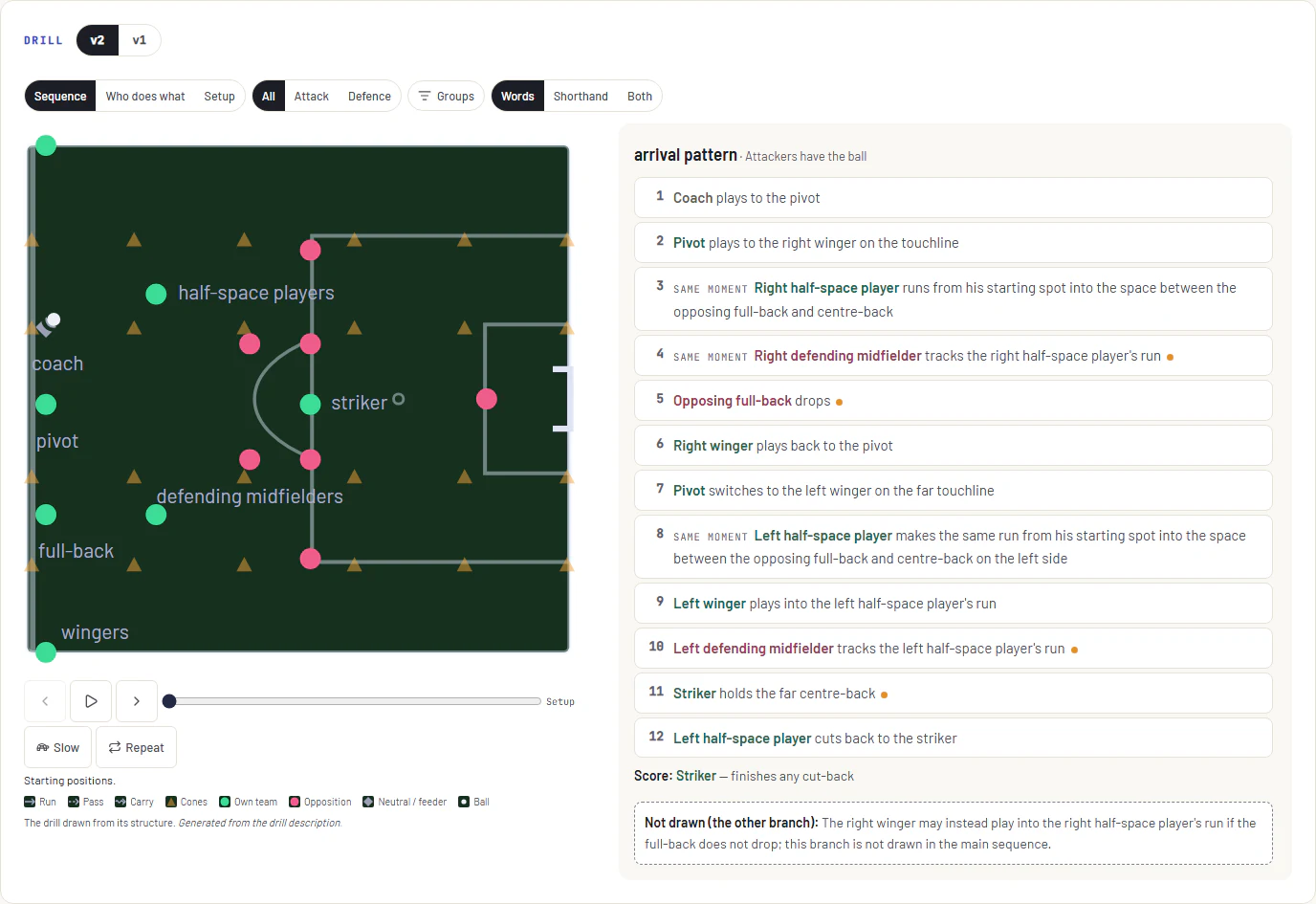
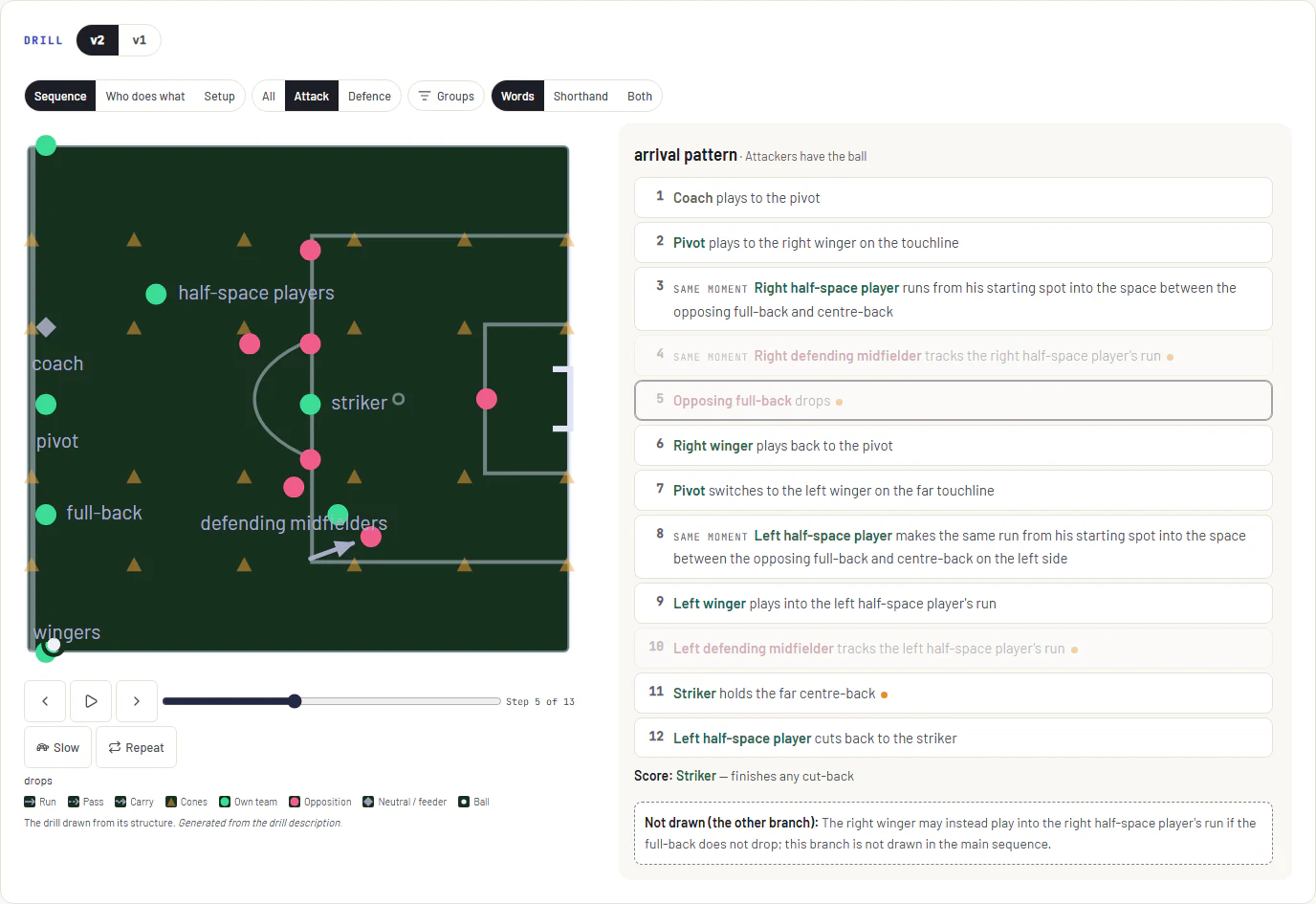
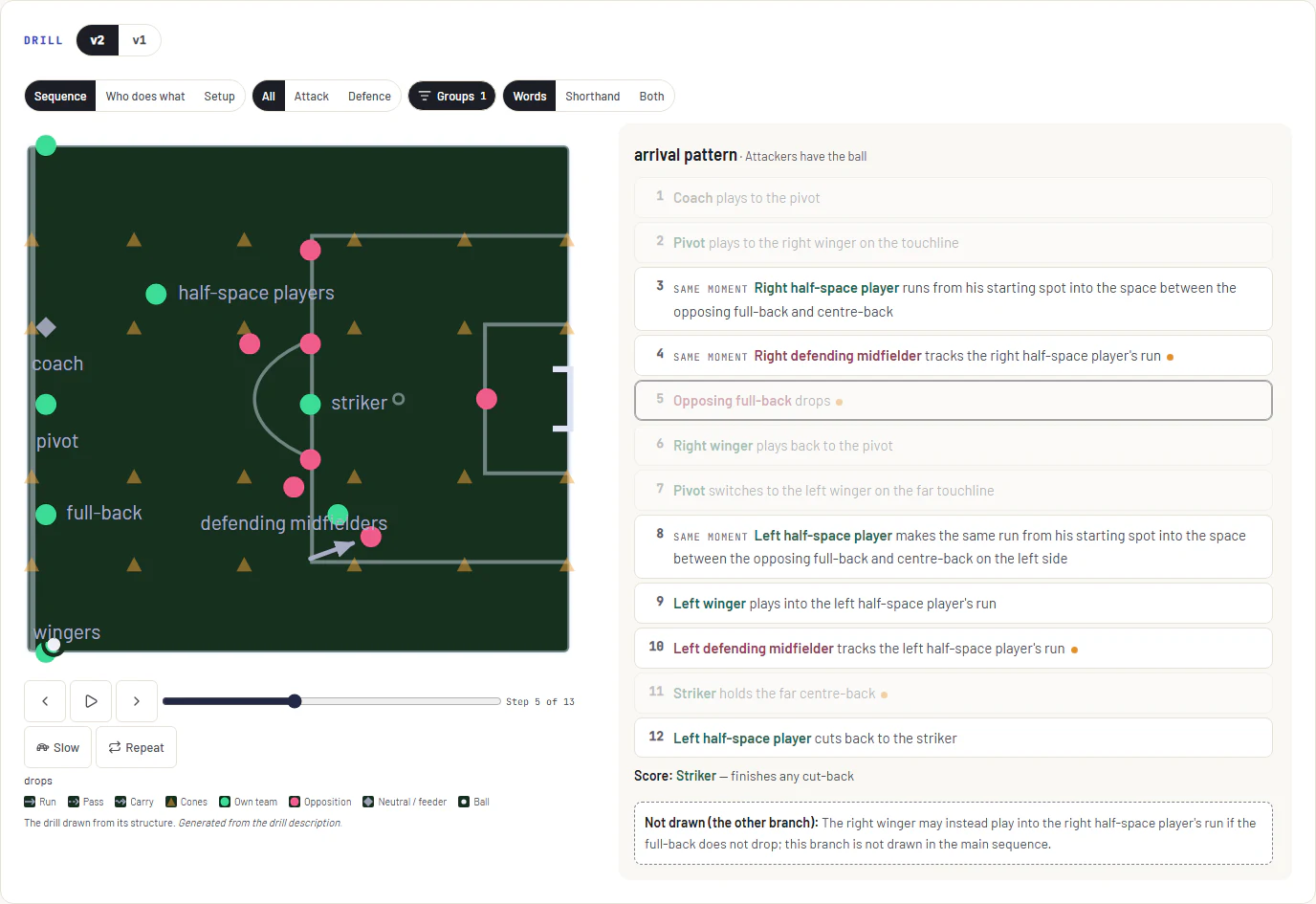
When an insight describes a drill or game, Sagori uses AI to draw it as an animated drill plan: players, movement and ball, step by step. The coach checks it before it’s shared, and it goes with the drill into every session and onto the field view at training.
One example: planning for an age
The cue works at any age. The drill doesn’t.
Coaching insights often apply across ages. Drills and games are made for one. Sagori keeps them apart, so an Under 10s plan uses Under 10s drills and still draws on coaching from every age.
- U10 drills
- Junior drills
- No age tag
U14Senior
- Principles
- Cues
- Problem patterns
- Step 1
Sagori reads the drill’s age.
From what the coach already wrote, like “U8” or “minis”.
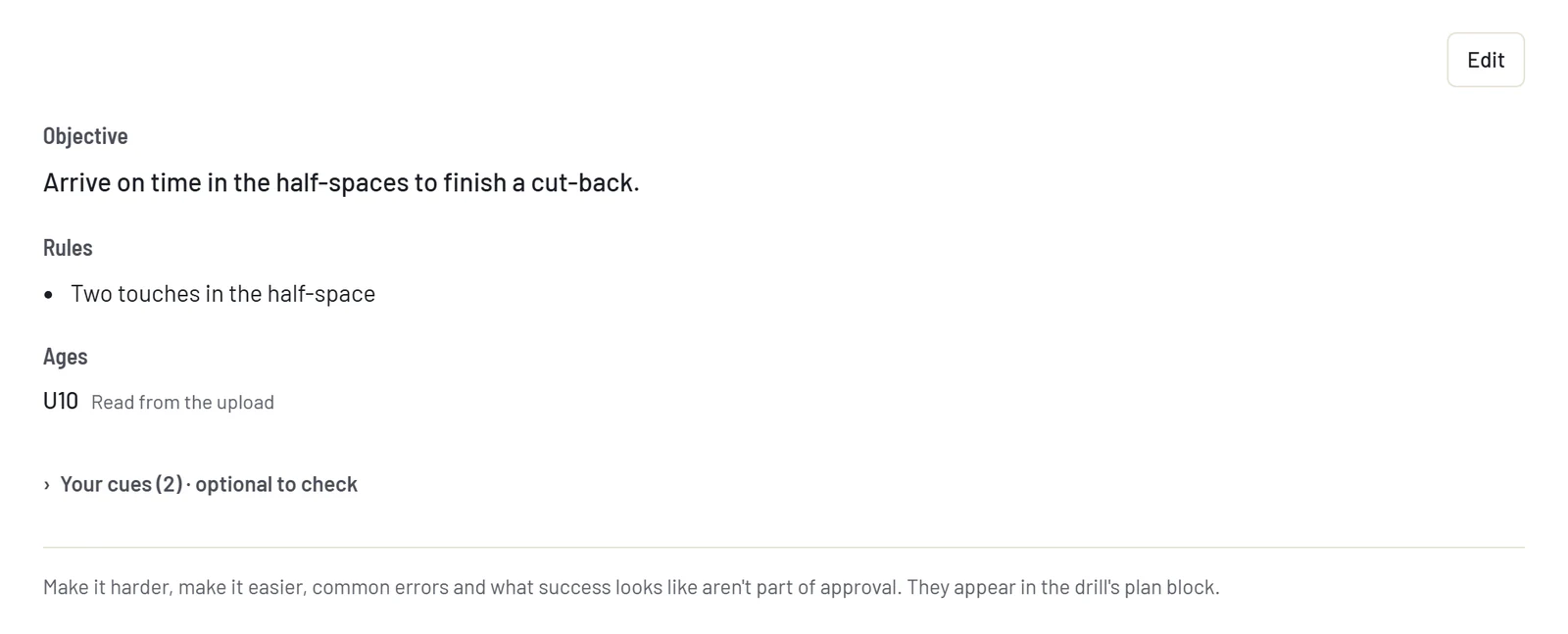
In review, the drill shows its age: “U10 · Read from the upload”. - Step 2
The coach can change it.
In review, or once as a default.

Pick a whole group or single ages. - Step 3
You plan for your players.
Your team’s age, or any age you choose.
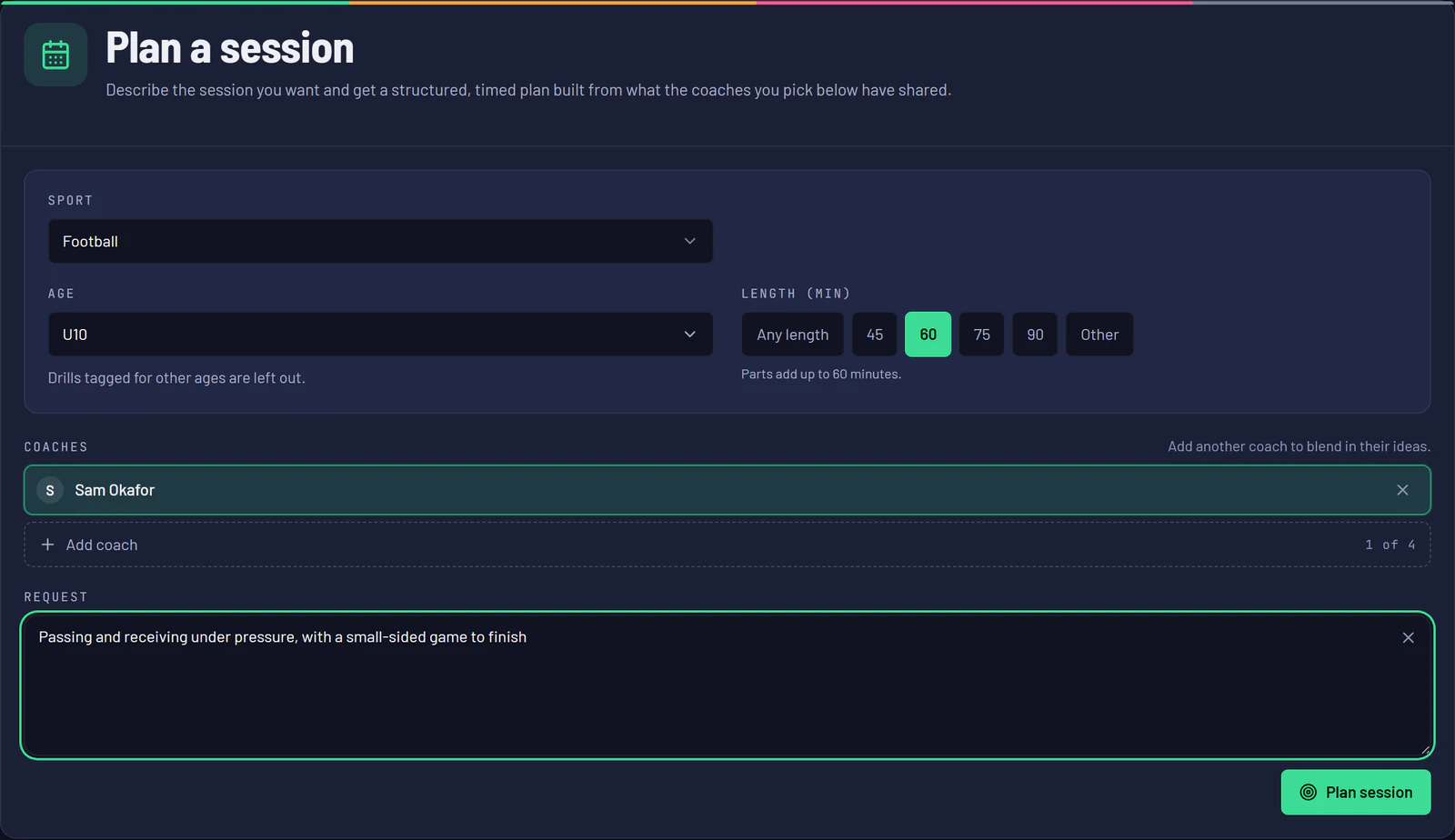
The planner with an age chosen. - Step 4
The plan uses drills for that age.
Anything left out is listed, and one tap brings it back.
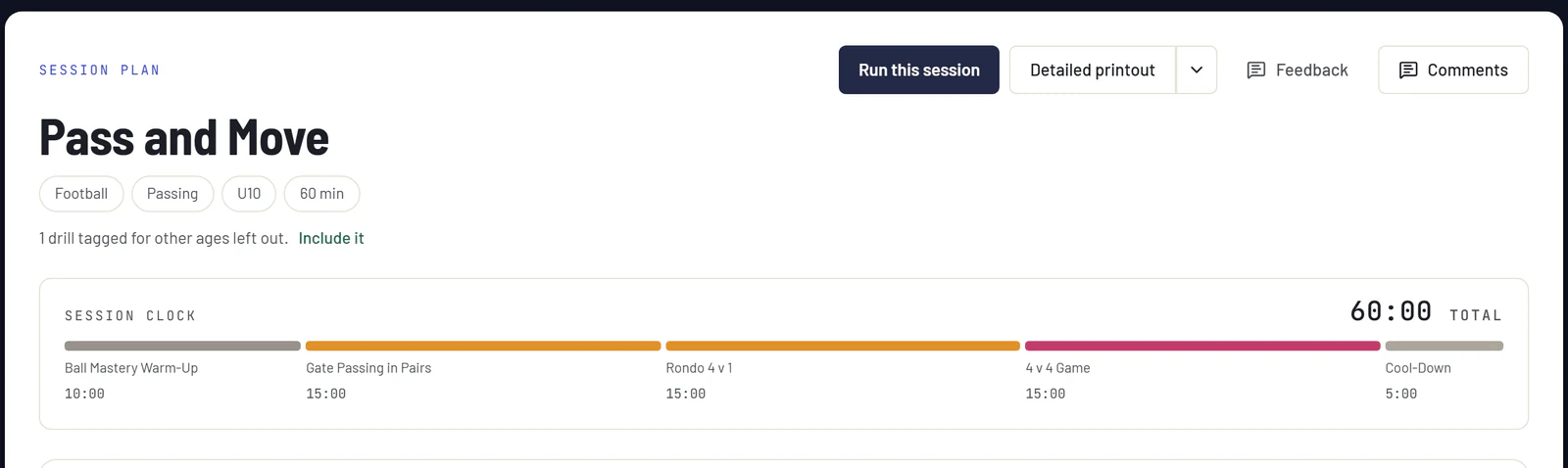
One line says what was left out, and brings it back.
You stay in control
Sagori guides. You decide.
- Coaches approve Nothing is shared until the coach who wrote it approves it.
- Nothing is hidden A plan says what it left out, and you can bring it back.
- Every plan is yours to change Adapt it, save it, or start again.
Find a coach
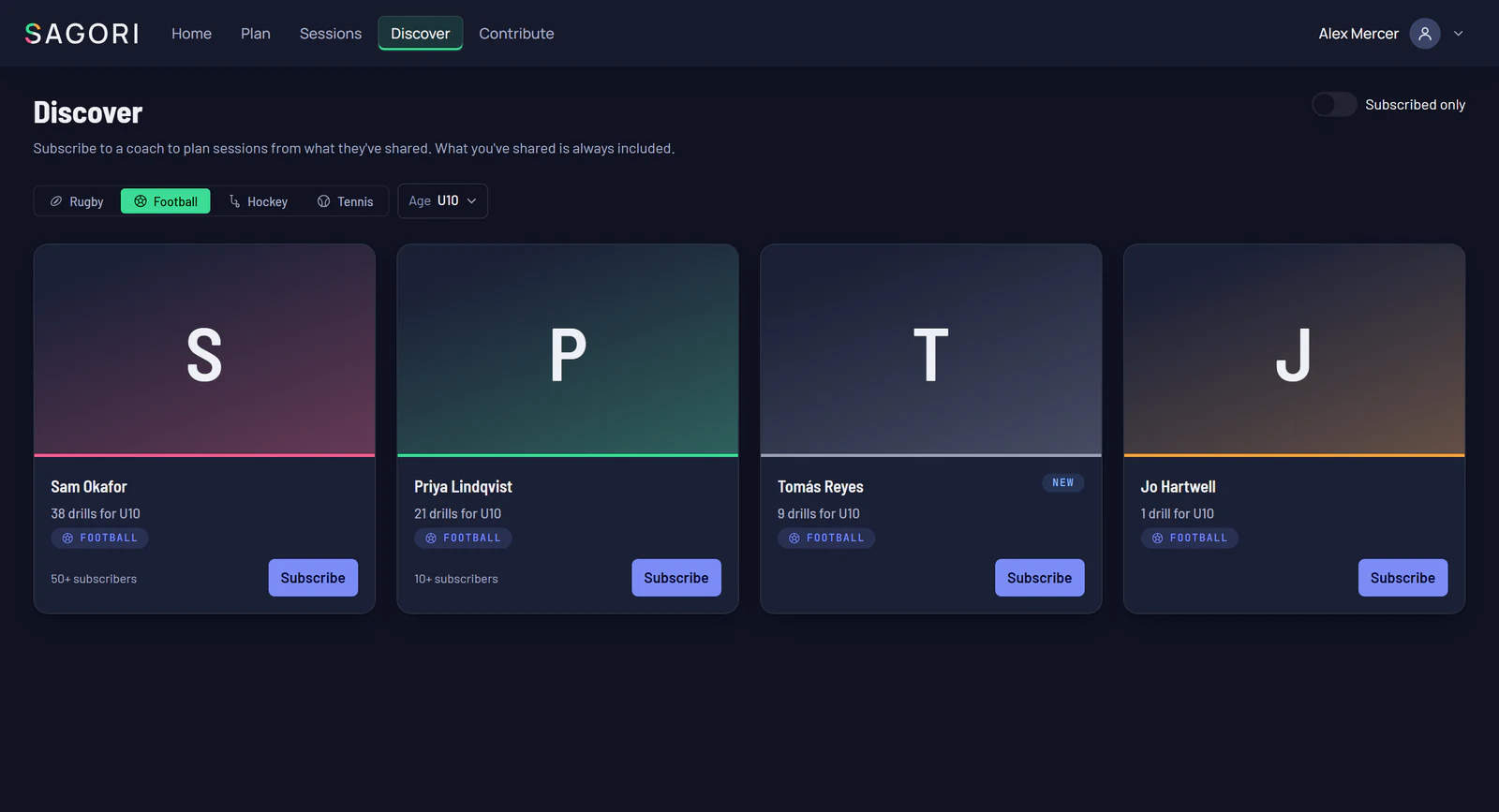
Subscribe to coaching that fits your players.
Filter coaches by the age you coach and see how many drills each has for it.
Sharing your content
Your coaching reaches further than one session.
A cue you wrote for one drill can help in sessions you never planned, with your name on it.
The session changes. The coaching insights stay.
Plan your next session from coaching know-how, not just drill plans.